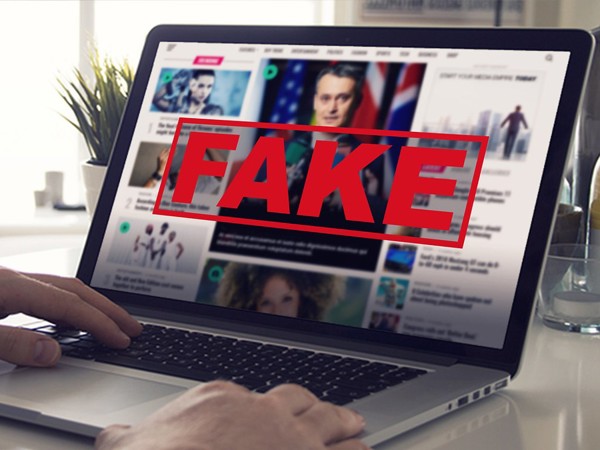
The internet is a double-edged sword: it provides endless opportunities but also exposes users to risks like fake websites and online scams. Fraudulent websites are often designed to steal personal information, financial details, or deliver malicious software to your device. Avoiding these traps requires vigilance, education, and practical tools.
This blog post explores how fake websites operate, provides actionable steps to identify and avoid scams, and offers best practices for staying safe online.
Understanding Fake Websites and Scams
Fake websites often imitate legitimate ones to deceive users into sharing sensitive information. Common tactics include:
- Phishing: Using emails or messages to lure users into clicking links leading to fake websites.
- Spoofing: Creating websites with URLs or designs similar to genuine sites.
- Fake Online Stores: Selling counterfeit products or taking payments without delivering anything.
- Tech Support Scams: Posing as customer support to trick users into downloading malware.
Step-by-Step Solutions to Avoid Fake Websites and Scams
1. Verify Website URLs Carefully
- Look for HTTPS: Ensure the website uses “https://” in the address bar. The padlock icon signifies encrypted connections.
- Avoid Misspelled URLs: Scammers often create URLs similar to real ones, like “amaz0n.com” instead of “amazon.com.”
- Manually Enter URLs: Instead of clicking on links in emails, type the website address directly into your browser.
2. Check for Contact Information and Legal Pages
- Legitimate websites typically display clear contact details, privacy policies, and terms of service.
- Absence of this information is a red flag.
3. Use Trusted Security Tools
- Install browser extensions or software that warn you of malicious websites.
- Enable anti-phishing features in your antivirus program.
4. Analyze Website Design and Content
- Poor Grammar and Spelling Errors: Many fake websites have poorly written content.
- Unprofessional Layout: Cluttered design or broken links can indicate a scam.
5. Research Online Stores and Offers
- Too Good to Be True: Unrealistic discounts or deals are often bait.
- Check Reviews: Look up the website on trusted review platforms to see what others say.
6. Avoid Unsolicited Offers and Emails
- Do not click on links in unsolicited emails or messages claiming urgency or exclusive deals.
- Always verify the source of the communication.
7. Use Secure Payment Methods
- Use credit cards or payment services like PayPal that offer buyer protection.
- Avoid direct bank transfers or payment methods that are irreversible.
8. Inspect the Domain Age
- Use online tools to check when the website domain was registered. Recent registrations could indicate a scam.
Best Practices for Online Safety
1. Enable Two-Factor Authentication (2FA)
- Add an extra layer of security to your accounts with 2FA.
2. Regularly Update Devices and Software
- Keep your operating system, browser, and antivirus software updated to block new threats.
3. Use Strong, Unique Passwords
- Create complex passwords and store them in a password manager.
4. Be Wary of Pop-Ups
- Avoid interacting with pop-ups, especially those claiming your device is infected or needs immediate attention.
5. Educate Yourself and Loved Ones
- Teach children and elderly family members about online safety practices.
Examples of Fake Website Scams and How to Spot Them
Example 1: Fake Banking Website
A scammer sends an email claiming your account is locked, urging you to log in using a link.
Solution: Verify the email sender’s address and directly visit the bank’s official website to check your account.
Example 2: Fraudulent E-commerce Site
A website offers a high-end smartphone at 90% off.
Solution: Search for reviews and verify the site's credibility through platforms like Trustpilot.
Example 3: Fake Job Offer Sites
A job listing asks for an upfront payment for training materials.
Solution: Legitimate employers never ask for money during the hiring process.
Example 4: Charity Scams
After a natural disaster, fake charity websites solicit donations.
Solution: Donate only through established platforms or directly to verified organizations.
Signs a Website Might Be Fake
- No SSL Certificate: Absence of HTTPS or padlock icon.
- Pressure Tactics: Pop-ups or emails demanding immediate action.
- Unverified Trust Badges: Fake websites often display counterfeit “Verified” or “Secure” badges.
- No Social Media Presence: Genuine businesses often have active social media profiles.
What to Do If You’ve Been Scammed
- Stop Interacting: Immediately disconnect from the fake website.
- Change Passwords: If you entered credentials, change them on the genuine platform.
- Contact Your Bank: If you shared financial details, inform your bank to block unauthorized transactions.
- Report the Scam: Notify relevant authorities or organizations, like your country’s consumer protection agency or cybersecurity body.
Staying Vigilant: The Key to Online Safety
The internet will always have bad actors, but staying vigilant can minimize your risk. Always verify websites, be skeptical of offers that seem too good to be true, and educate yourself about emerging scams. By adopting these strategies, you can navigate the digital world safely and confidently.
.jpg)